
- Starting price
- $24/yr
- Pricing
- Free plan
- Website
- cmux.com
About cmux
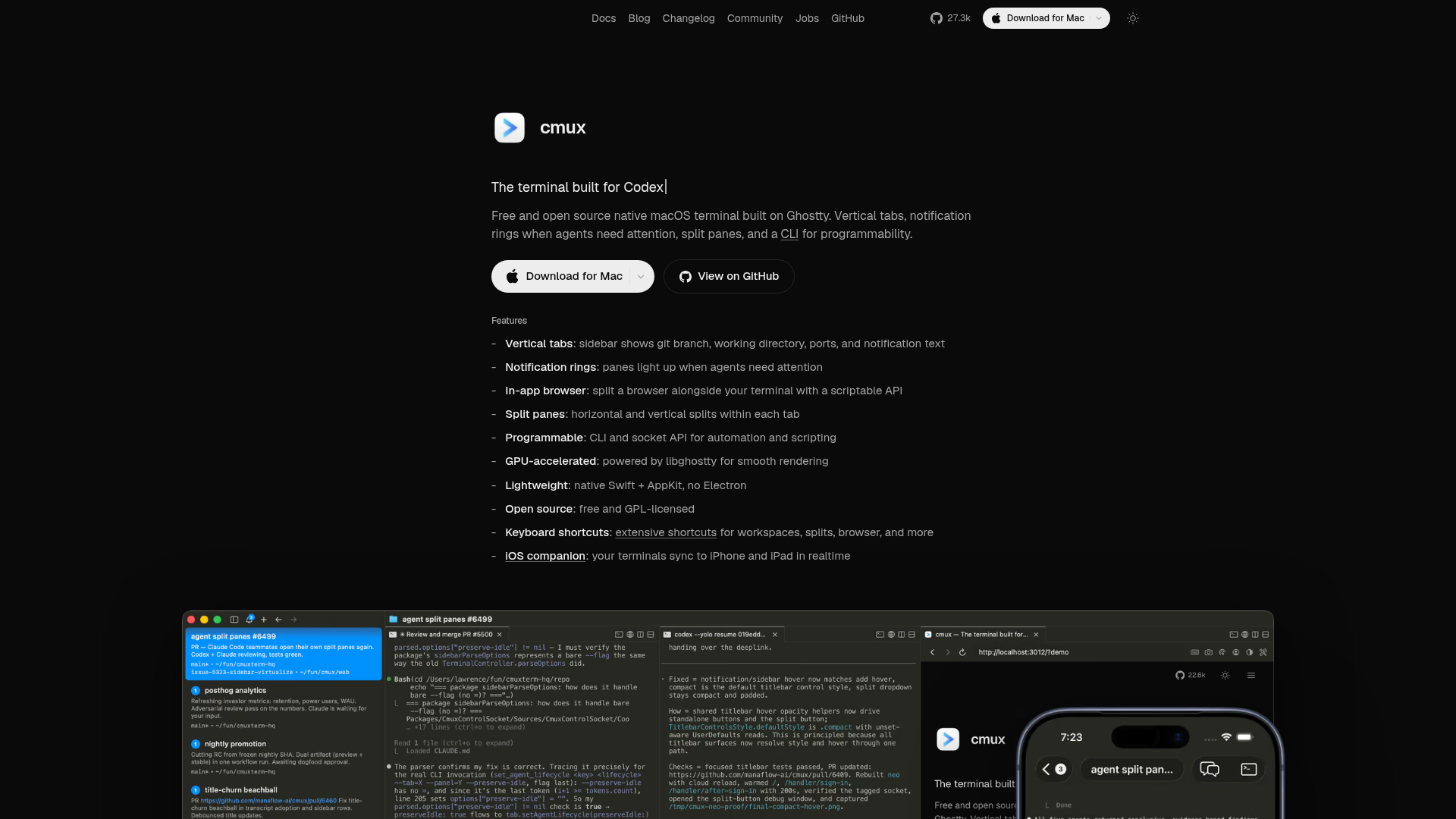
cmux is a native macOS terminal built for coding agents. It is built on Ghostty and features vertical tabs, split panes, notification rings, and a socket API to coordinate multiple AI agents and CLI workflows, including Claude Code, Codex, OpenCode, Gemini CLI, Kiro, and Aider.
Key Features
For teams juggling multiple AI agents in a single macOS workspace, cmux provides a GUI-backed terminal that keeps context visible and actions programmable:
Vertical Tabs
Sidebar shows git branch, working directory, ports, and notification text
Notification Rings
Panes light up when agents need attention
Split Panes
Horizontal and vertical splits within each tab
In-app Browser & Scriptable API
Split a browser alongside your terminal with a scriptable API for automation
Summary
Best for AI/ML engineering teams, DevOps/ops teams, and researchers who run multiple terminal-based agents.
Pricing
View pricingPlans and prices as listed on cmux.dev as of Aug 24, 2026.
Free
$0 / monthly
- Native macOS terminal built on Ghostty, fully open source
- Run Claude Code, Codex, Gemini, and any CLI agent with your own keys
- Vertical tabs, workspaces, split panes, and completion notifications
- Browser panels, a scriptable socket API, and custom skills
- Local session history and a one-time Cloud VM trial
- Community support on Discord and GitHub
Pro
$24 / yearly
- Everything in Free, plus
- Cloud agents on Cloud VMs in isolated remote sandboxes
- 20 active compute-hours per month on a 4 vCPU / 16 GB VM, then usage-based
- CodeRouter: route across provider accounts with failover, usage, and cost analytics
- The cmux iOS app and email support
Team
$28/user / yearly
- Everything in Pro, plus
- Team-wide CodeRouter with anonymous aggregate usage and cost analytics
Enterprise
Custom / Contact Sales
- Everything in Team, plus
- Self-hosted Cloud execution and networking, so nothing leaves your network
- Self-hosted CodeRouter with org-wide usage and cost analytics
- SSO and SAML sign-in
- Centralized admin and shared team rules
- Audit logs for terminal sessions, network requests, and browser activity
- Committed cloud usage and volume pricing
- SOC 2 and an SLA, with dedicated support


